
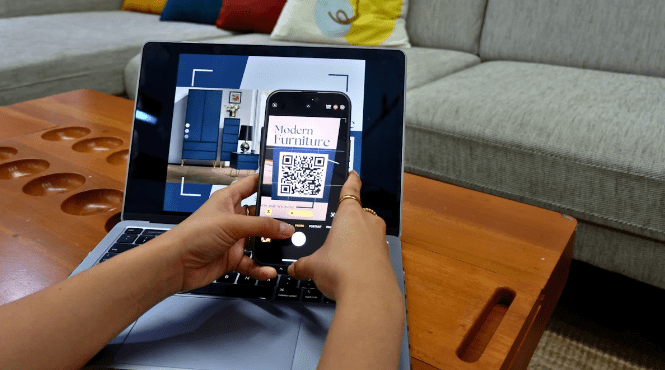
Imagine sending out event invitations that not only look great but also surprise your guests with a simple scan. QR codes have become a game-changer in this space. They offer a fun and interactive way to share event details. Did you know that 84% of mobile users have scanned a QR code at least once? This trend is growing, with a 283% increase in QR code usage recently. You can easily create these surprise-filled invitations using QRSpider, a free tool that makes it simple to generate a QR code for the surprise for any occasion.
The Popularity and Convenience of QR Codes
Why QR Codes Are Trending
Ease of Use and Accessibility
You’ve probably noticed QR codes popping up everywhere. They’re super easy to use. Just point your smartphone camera at the code, and voilà! You instantly access the information. No need for typing long URLs or downloading special apps. This simplicity makes QR codes a favorite for many.
Versatility in Applications
QR codes aren’t just for websites. You can use them for almost anything. Want to share a video, a map, or even a playlist? A QR code can do that. This versatility means you can get creative with how you use them, especially in event invitations.
Benefits of Using QR Codes in Invitations
Enhancing Guest Experience
Imagine receiving an invitation that surprises you with a hidden message or a fun video. QR codes make this possible. They add an interactive element that traditional invitations can’t match. Your guests will love the extra touch and feel more connected to your event.
Streamlining Event Information
QR codes simplify the way you share event details. Instead of cluttering your invitation with too much text, you can include a QR code. Guests scan it to find everything they need—venue details, RSVP forms, and more. This approach keeps your invitation clean and elegant while ensuring guests have all the info they need.
Introduction to QRSpider
Overview of QRSpider Features
User-Friendly Interface
When you first open QRSpider, you'll notice how easy it is to navigate. The interface welcomes you with a clean and intuitive design. You don't need to be a tech wizard to get started. Everything is laid out clearly, making it simple for anyone to create QR codes. You can find all the tools you need right at your fingertips. This user-friendly approach ensures you spend less time figuring things out and more time creating amazing invitations.
Customization Options
One of the standout features of QRSpider is its customization options. You can tailor your QR codes to match your event's theme. Want to add a splash of color or incorporate your logo? No problem! QRSpider lets you do that with ease. You can choose from various templates and styles, ensuring your invitations are as unique as your event. This flexibility allows you to create a cohesive look that ties everything together beautifully.
Setting Up QRSpider
Installation Process
Getting started with QRSpider is a breeze. First, head over to their website and download the software. The installation process is straightforward. Just follow the prompts, and you'll have it up and running in no time. You don't need any special skills or equipment. A few clicks, and you're ready to dive into the world of QR code creation.
Basic Configuration
Once installed, you'll want to configure QRSpider to suit your needs. Start by setting up your preferences. You can adjust settings like default templates and color schemes. This step ensures that every time you create a new QR code, it aligns with your style. Spend a few minutes exploring the configuration options, and you'll find that QRSpider adapts to your workflow seamlessly.
Creating Event Invitations with QRSpider
Designing Invitations
Choosing the Right Template
When designing your event invitations, start by selecting a template that matches your theme. QRSpider offers a variety of options, so you can find one that fits perfectly. Whether it's a wedding or a corporate event, the right template sets the tone. Think about the colors and style that represent your event best. This choice will make your invitation stand out and feel cohesive.
Incorporating QR Codes
Once you've chosen a template, it's time to add QR codes. These codes transform your invitation into an interactive experience. Place them strategically where guests can easily scan them. QRSpider makes this process simple. Just generate the code and insert it into your design. This step ensures your guests have quick access to all the event details.
Adding Surprise Elements with QR Codes
Hidden Messages
QR codes can do more than just share basic information. You can use them to reveal hidden messages. Imagine your guests scanning the code and discovering a personal note or a special greeting. This surprise element adds a unique touch to your invitation. It makes your guests feel valued and excited about attending your event.
Interactive Content
Take your invitations to the next level by including interactive content. QR codes can link to videos, photo galleries, or even playlists. This feature engages your guests and gives them a taste of what to expect. For weddings, you might share a video of the couple's journey. For corporate events, a sneak peek of the agenda could be exciting. This approach not only informs but also entertains your guests, making your invitation memorable.
Generate a QR code for the surprise: Real-Life Applications
Wedding Invitations
Personalizing the Experience
Imagine your wedding invitation arriving with a touch of magic. By using QR codes, you can generate a QR code for the surprise that adds a personal flair. Guests scan the code and instantly access a heartfelt video message or a gallery of your favorite moments together. This approach not only personalizes the experience but also creates a memorable connection with your guests. They’ll feel more involved in your special day, making it even more meaningful.
Sharing Wedding Details
QR codes simplify sharing essential wedding details. Instead of cluttering your invitation with text, you can generate a QR code for the surprise that leads guests to a webpage with all the information they need. Venue directions, accommodation options, and even the menu can be just a scan away. This method keeps your invitation elegant and ensures guests have everything at their fingertips. Plus, it’s a great way to offer easy RSVP options, allowing guests to confirm their attendance with a quick scan.
Corporate Event Invitations
Engaging Attendees
Corporate events often require engaging attendees in innovative ways. QR codes offer a perfect solution. You can generate a QR code for the surprise that links to a welcome video from the CEO or a sneak peek of the event highlights. This interactive element captures attention and builds excitement. Attendees feel more connected and eager to participate, enhancing the overall experience.
Providing Event Schedules
Keeping attendees informed is crucial for a successful corporate event. QR codes make this task effortless. By generate a QR code for the surprise, you can provide instant access to the event schedule, speaker bios, and session details. Attendees simply scan the code to stay updated, ensuring they don’t miss any important sessions. This approach streamlines communication and enhances the professionalism of your event.
Tips for Effective QR Code Invitations
Ensuring QR Code Functionality
Testing Across Devices
You want your QR codes to work seamlessly for everyone. Test them on various devices to ensure compatibility. Smartphones, tablets, and different operating systems can affect how a QR code functions. By trying out your codes on multiple devices, you can catch any issues before your guests do. This step guarantees that everyone can access the information without a hitch.
Providing Clear Instructions
Not everyone is familiar with QR codes. Include simple instructions on your invitation. A brief note like "Scan this code with your smartphone camera" can make a big difference. Clear guidance helps guests who might be new to QR codes. It ensures they know exactly what to do, making their experience smooth and enjoyable.
Enhancing Aesthetic Appeal
Balancing Design and Function
Your invitation should look great and work well. Balance design with functionality. Make sure the QR code is easy to scan without compromising the overall look. Place it where it’s visible but doesn’t overshadow other elements. This balance keeps your invitation attractive while ensuring the QR code serves its purpose.
Using Color and Branding
Incorporate your event’s colors and branding into the QR code. QRSpider allows you to customize codes with colors and logos. This feature helps your invitation stand out and reinforces your brand. Use colors that contrast well with the background to ensure the code remains scannable. This approach adds a personal touch and enhances the visual appeal of your invitation.
Using QR codes in event invitations offers numerous benefits. They make sharing details easy and add a fun, interactive element. Imagine your guests scanning a code to RSVP or access maps instantly. This convenience enhances their experience and streamlines your planning.
Explore QRSpider for creative solutions. Its user-friendly features let you design unique invitations that surprise and delight. Whether for weddings or corporate events, QRSpider helps you craft memorable invitations that stand out. Give it a try and transform your next event!